KaraDan' Blind Test

How do you run your music quiz nights?

  1. With paper and pens
  2. Adding up the points by hand
  3. “First one to shout wins”
  4. Everyone answers on their phoneCorrect answer

With KaraDan' Blind Test, you play the track: four choices appear on every player's phone, and the points add up by themselves.

  • No commitment: stop whenever you like
  • No internet needed during the night
  • Nothing to install on the phones

For Windows 10 and 11, and for Mac (macOS 11 or later). The trial is complete for 14 days, with no account and no credit card. Screens in French.

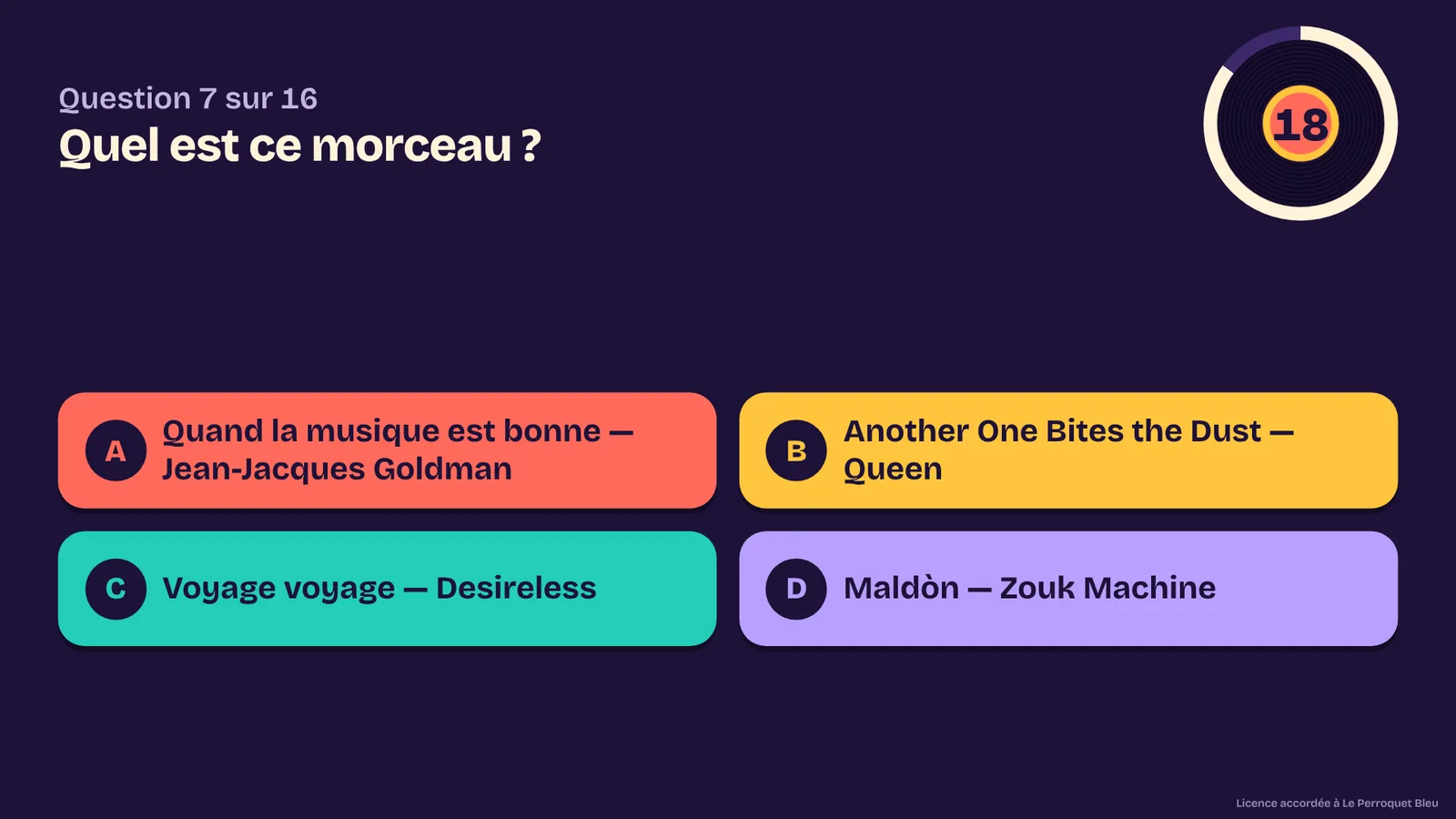
The public screen during the bonus question: “Which track is this?”, the BONUS ×2 badge, four coloured choices, and the giant countdown over the last seconds.
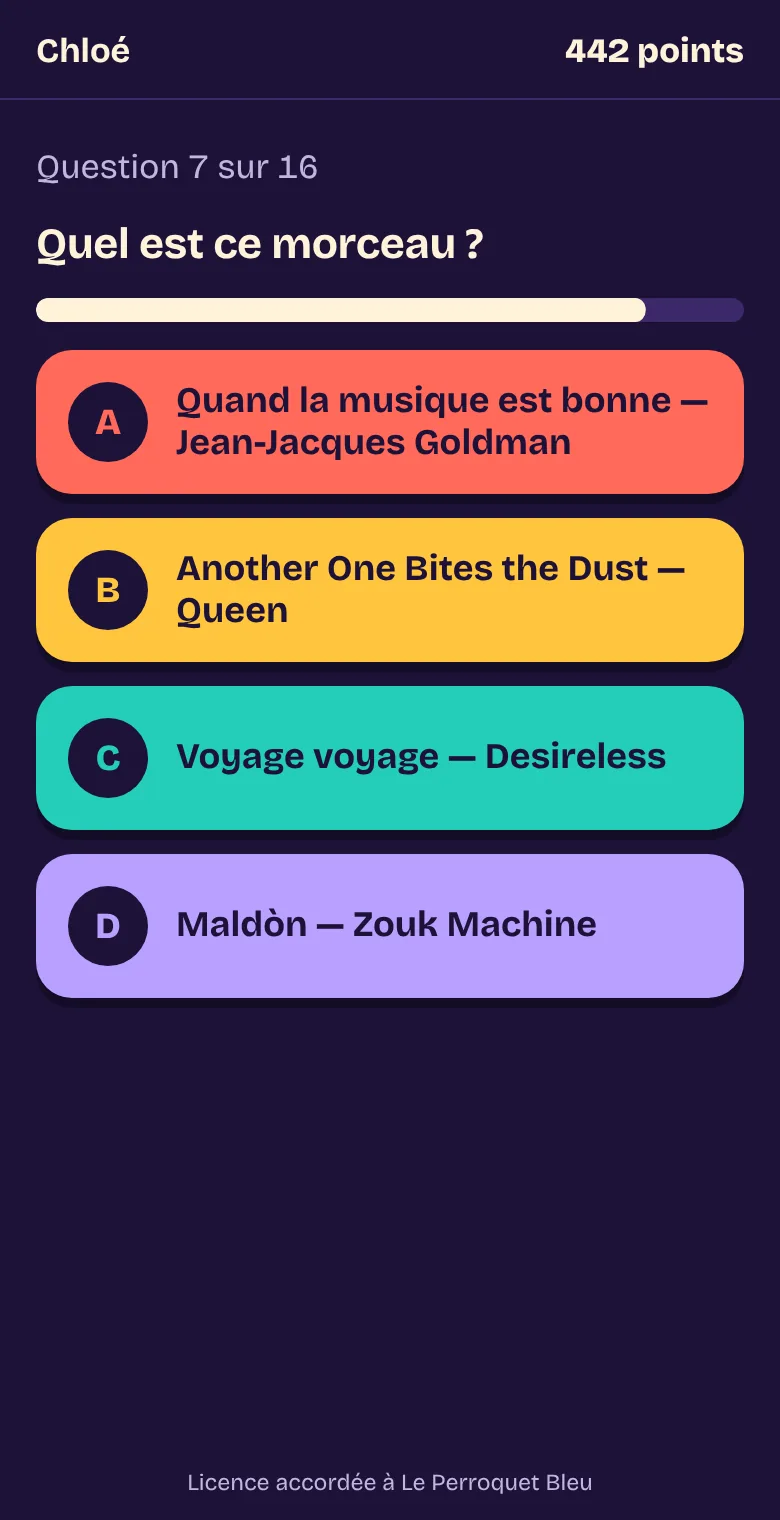
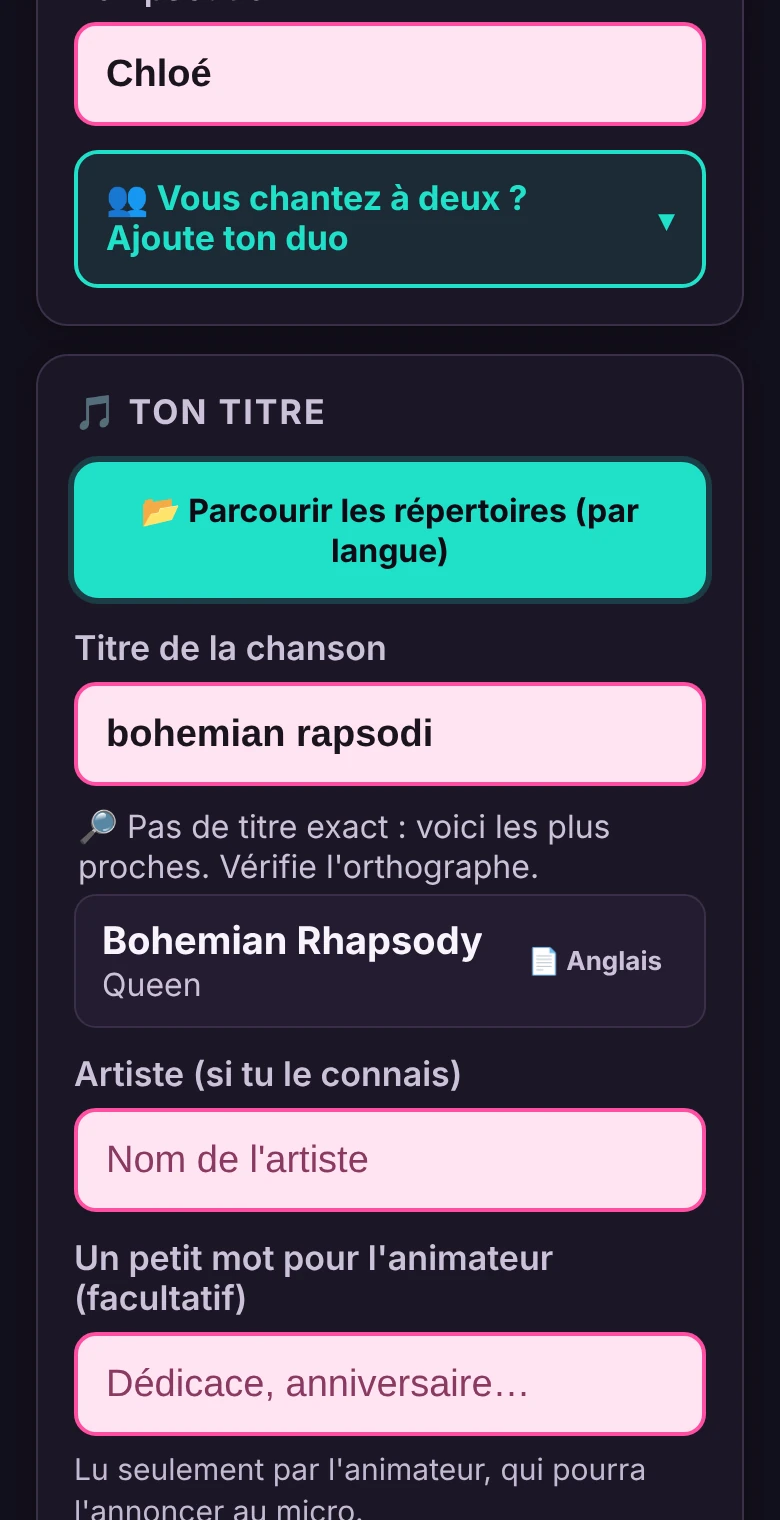
A player's phone, Chloé's: the same question, marked BONUS ×2, with the four choices to tap.

A game, in three steps

You stay in charge of the music and the pace. The app takes care of the rest.

  1. Players scan the QR code

    On the venue's TV, or on the poster on the tables. They pick a nickname, and that's it: no app to install, no account to create.

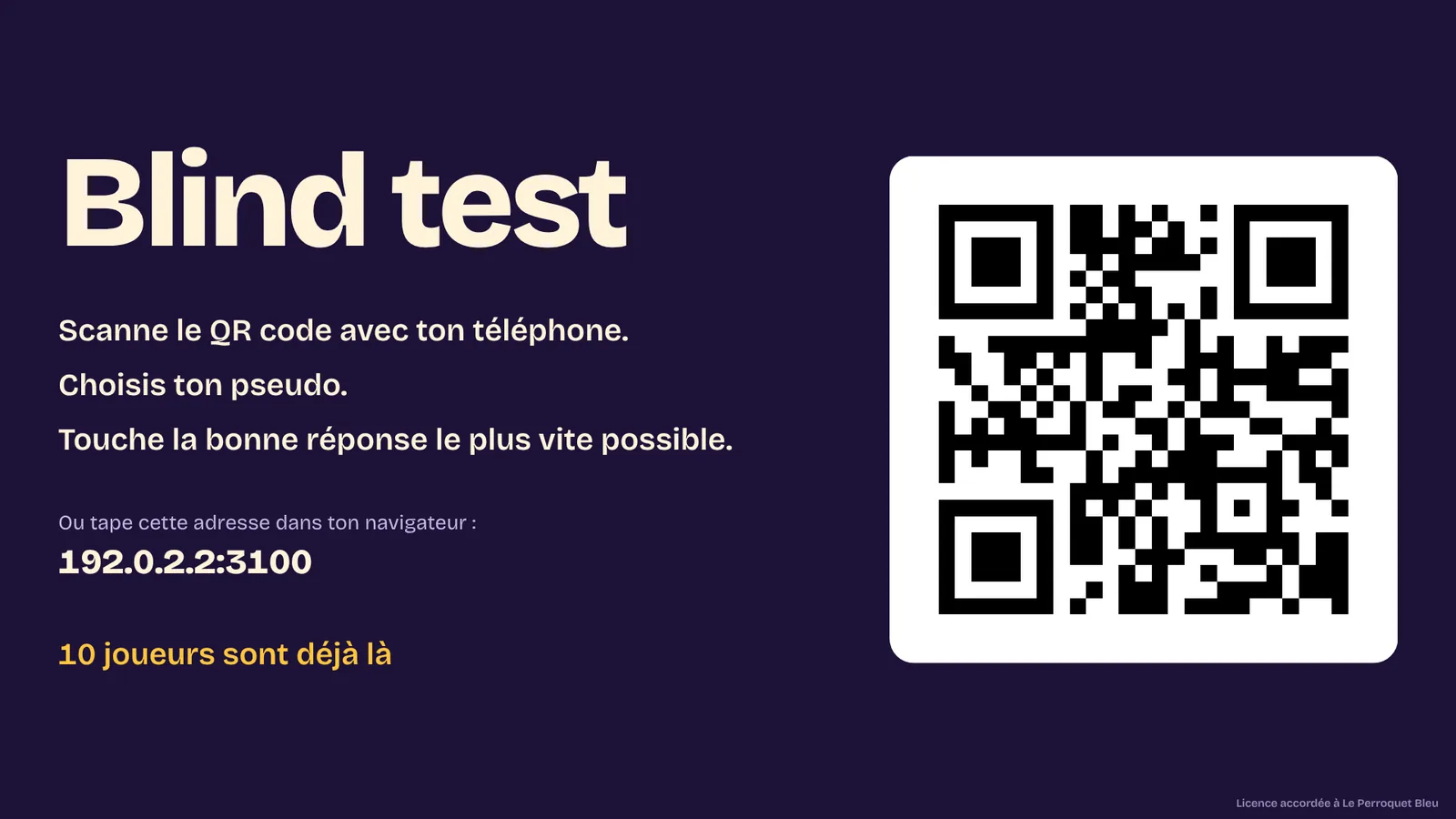
    The public screen before the game: a large QR code, the instructions to join, and a counter showing that 10 players are already in.
  2. You start the track

    One click on the title: the music plays from your computer. One click on “Lancer la question” (start the question): the timer starts on every phone. The correct answer is shown only on your screen.

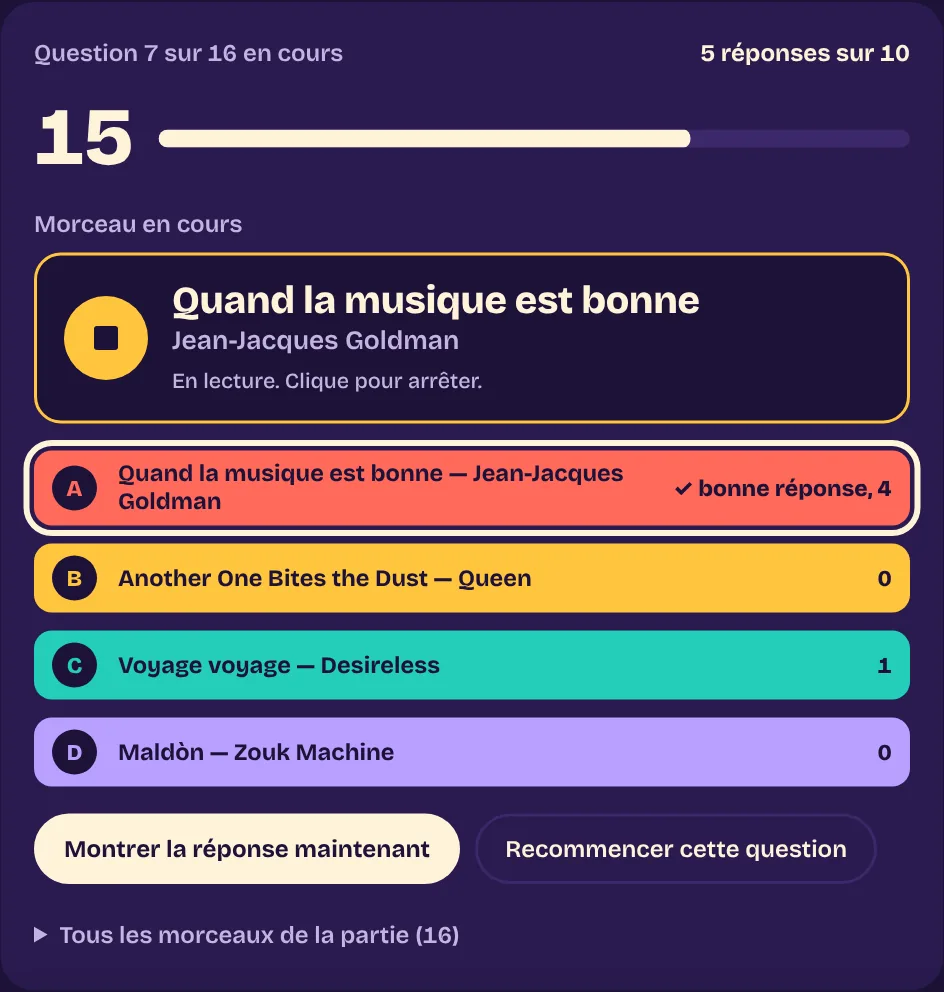
    The host screen during bonus question 7: the track playing, 12 seconds on the timer, 5 answers out of 10, and the correct answer ticked among the four choices.
  3. Everyone taps their answer

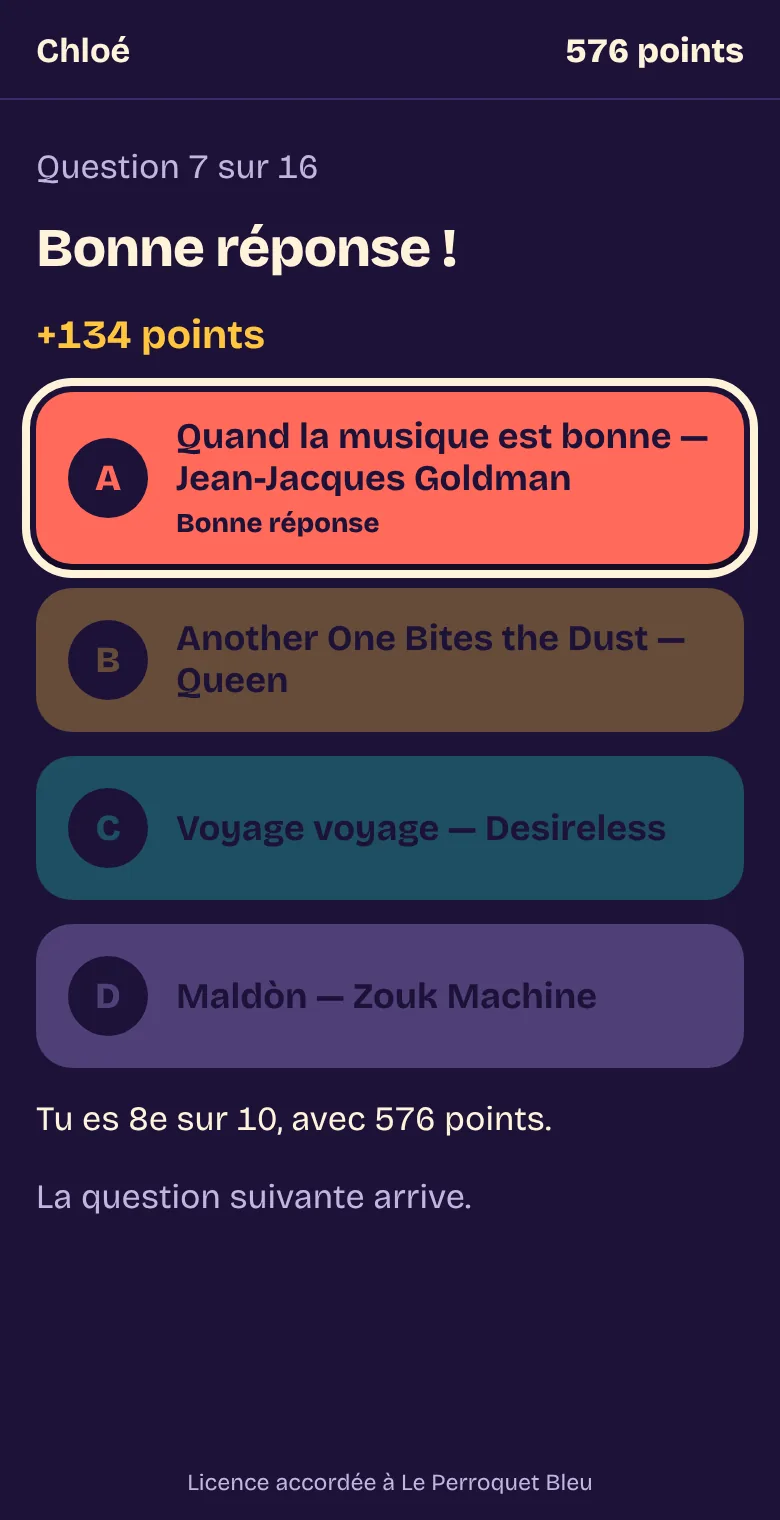
    Four choices, only one right. When the timer ends, or as soon as everyone has answered, the answer appears everywhere, and each player sees their points and their rank.

    Chloé's phone after the bonus question: correct answer, +212 points, then her rank: 6th out of 10, with 780 points.

Your music, your playlists

The app plays the files on your computer. You keep your tracks in a folder, and it links them to your playlists.

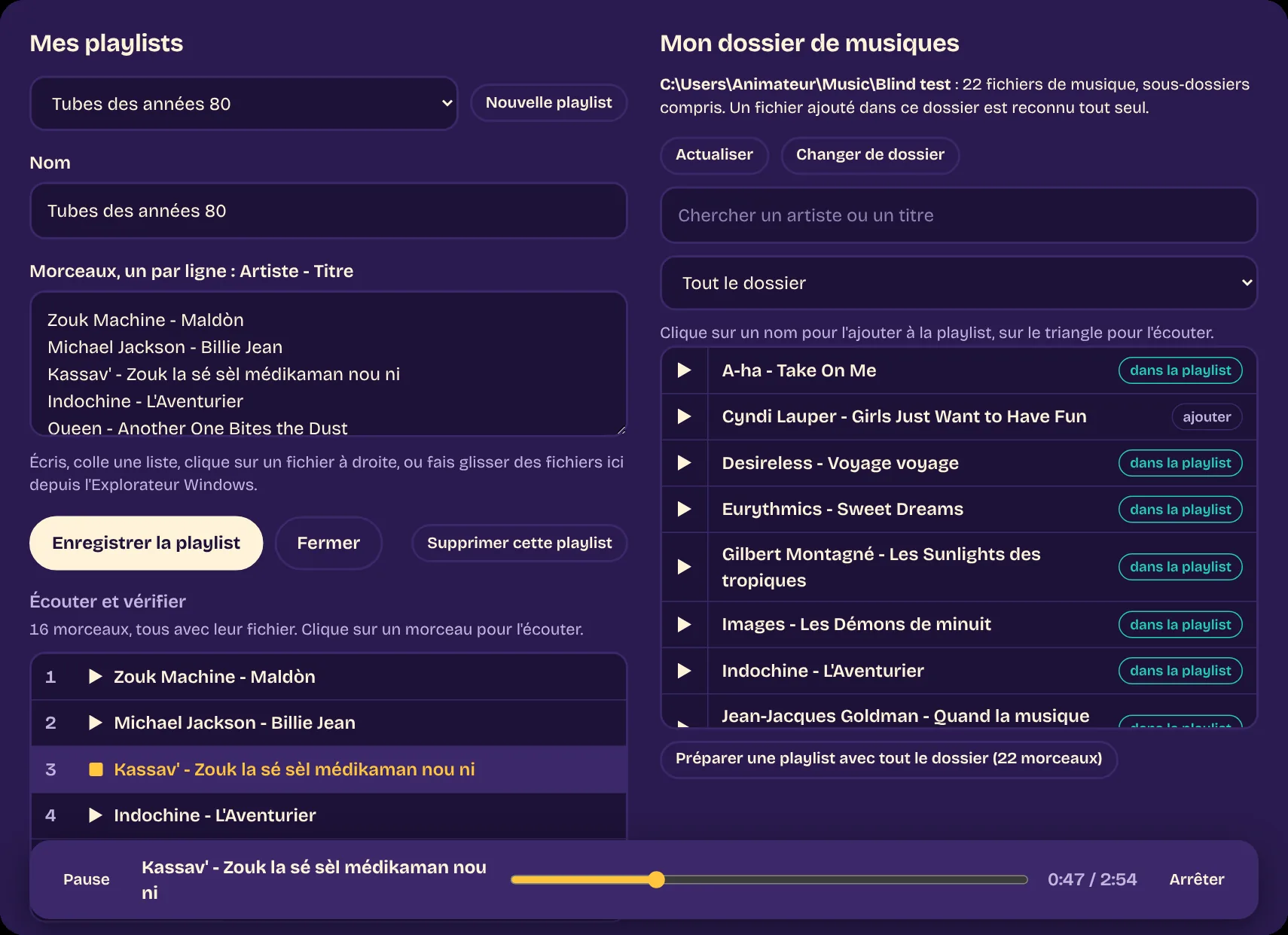
The playlists window: on the left, the “80s hits” playlist and its 16 tracks, all with their file; on the right, the music folder, where each file is added with one click; at the bottom, the player.
A playlist in a few clicks
Click a file in your folder: it is added to the playlist, with its artist and title. You can also drag files in, take a whole folder or paste a list.
Wrong answers, done for you
You only write the right titles. The three wrong choices for each question are taken from the other tracks in the playlist.
New tracks are picked up
Copy a new file into the folder, even in the middle of the night: it shows up in the list without restarting anything.
Listen before you play
Every line of the playlist plays with one click. A “no file” label flags the titles that don't have their music yet.
Skip an intro, pause
The player stays at the bottom of your screen during the game: pause, move through the track, stop. Only one track plays at a time.
Or keep your usual player
Prefer to play the music with your own software? The host screen simply tells you which track to start.

What the app does for you

You host, it keeps score.

Live scoring
100 points for a correct answer. The leaderboard updates after every question, on your screen, on the TV and on the phones.
The speed bonus
Up to 50 extra points for the fastest: people answer before peeking at their neighbour's screen. Tick it or not. And when you want to liven up the room, one click turns the next question into a bonus question: double points, announced everywhere.
Teams, without favouring big tables
Each player picks their team on their phone. A team's score is the average of its players: a table of eight doesn't automatically beat a table of three.
The title, the artist, or both
You decide what has to be found, how long players have to answer, from 10 to 45 seconds, and how many questions there are.
Latecomers
A player can join at any time with the QR code. They start from zero.
A question gone wrong
The track didn't start, someone shouted the answer? “Recommencer cette question” (restart this question) cancels the answers and restarts the timer.
A score to fix
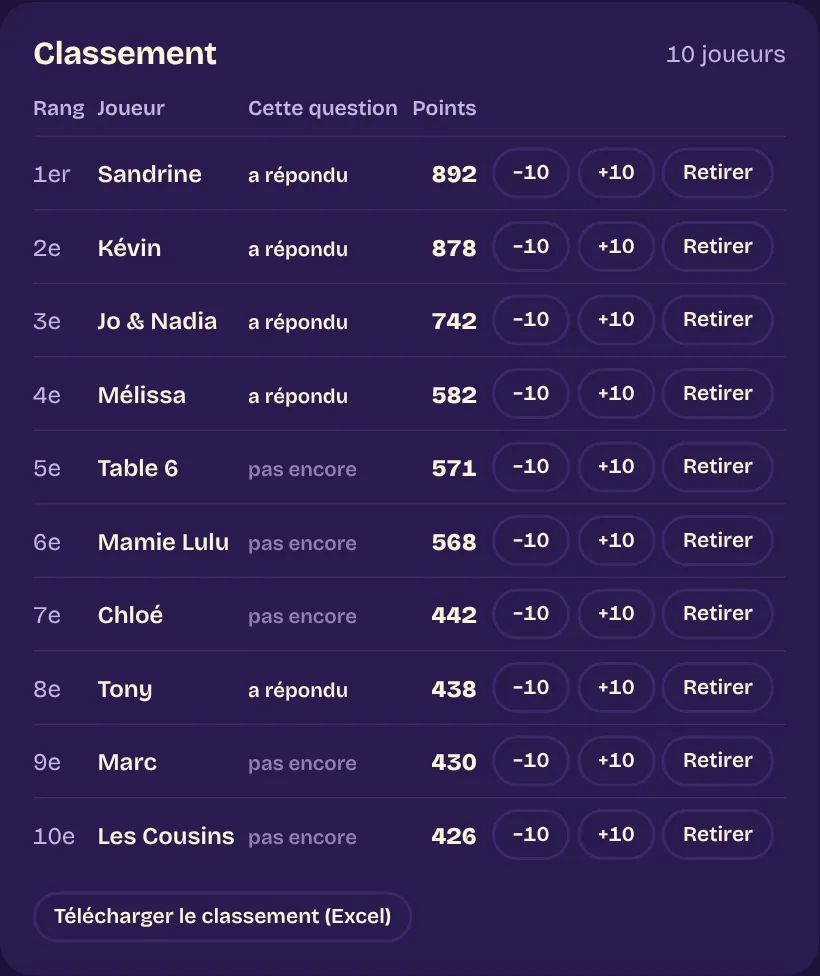
The −10 and +10 buttons next to each player, for a bonus or a penalty. And “Retirer” (remove) to take a player out of the game.
The leaderboard, saved
Download it for Excel at the end of the game. The leaderboard of every finished game is also saved on your computer.
Your rules, in one window
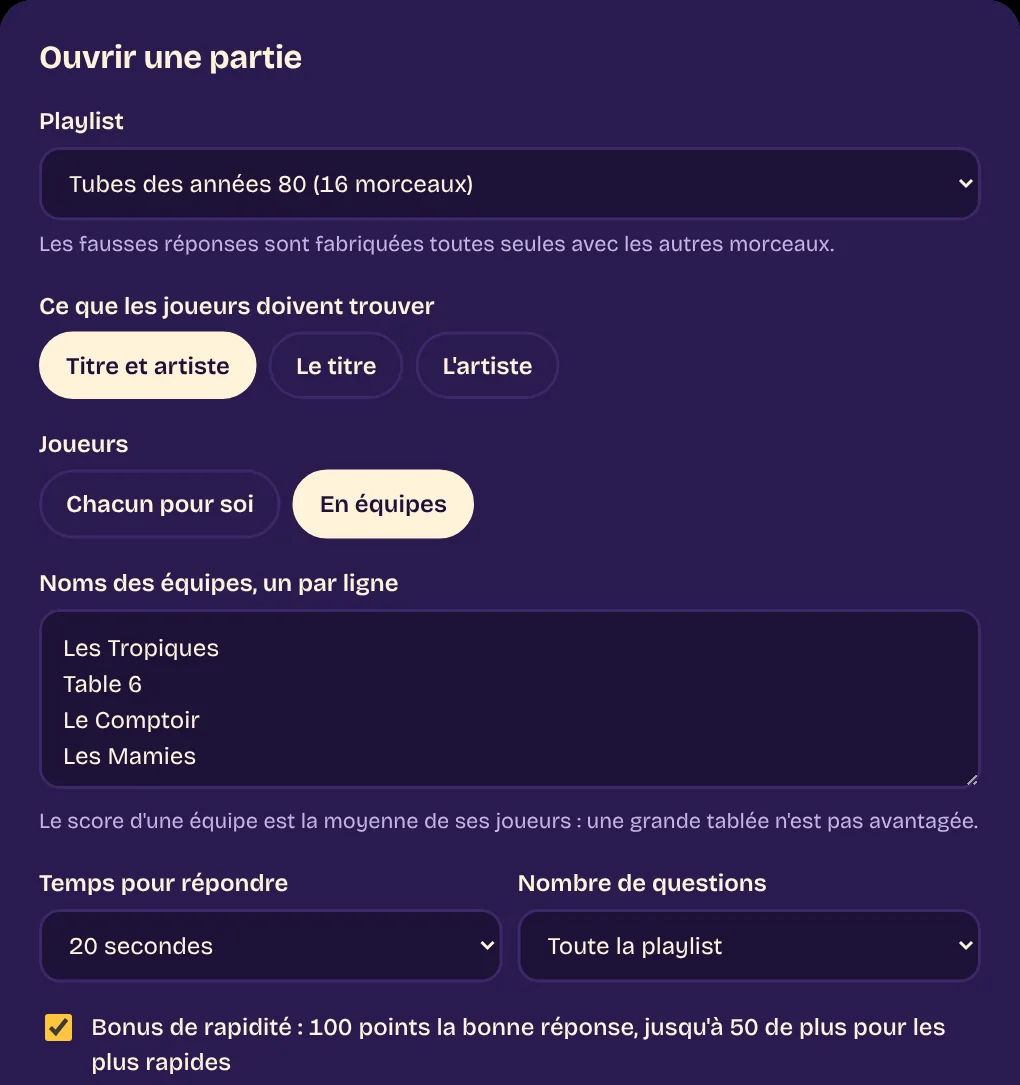
Before each game, you choose the playlist, what has to be found, solo or teams, the answer time and the bonus. From one game to the next, players can stay signed in: only their points go back to zero.
The new game window: the playlist, title and artist to find, team play with four team names, 20 seconds to answer and the speed bonus ticked.
The leaderboard on the host screen: ten players, their points, who has already answered the current question, and the −10, +10 and remove buttons.

On the bar's TV

The public screen shows the QR code, the question and the timer, then the correct answer and the leaderboard. Over the last five seconds, a giant countdown builds up the pressure. You drag its window onto the TV or the projector; a double-click makes it full screen.

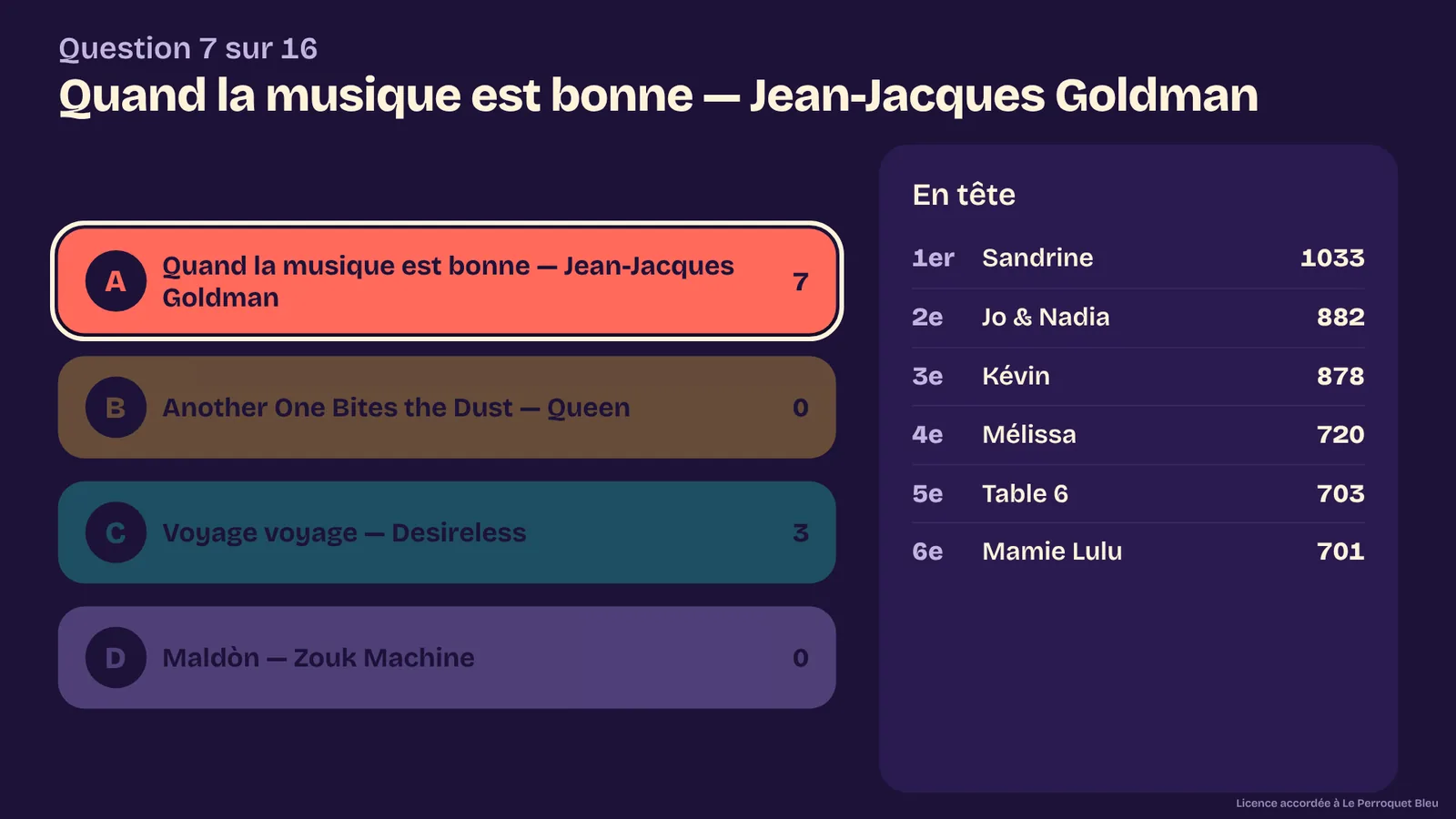
The public screen after bonus question 7: the correct answer in colour, the number of players on each choice, and the top six players.
After each question: the correct answer, what the room answered, and the leading players.
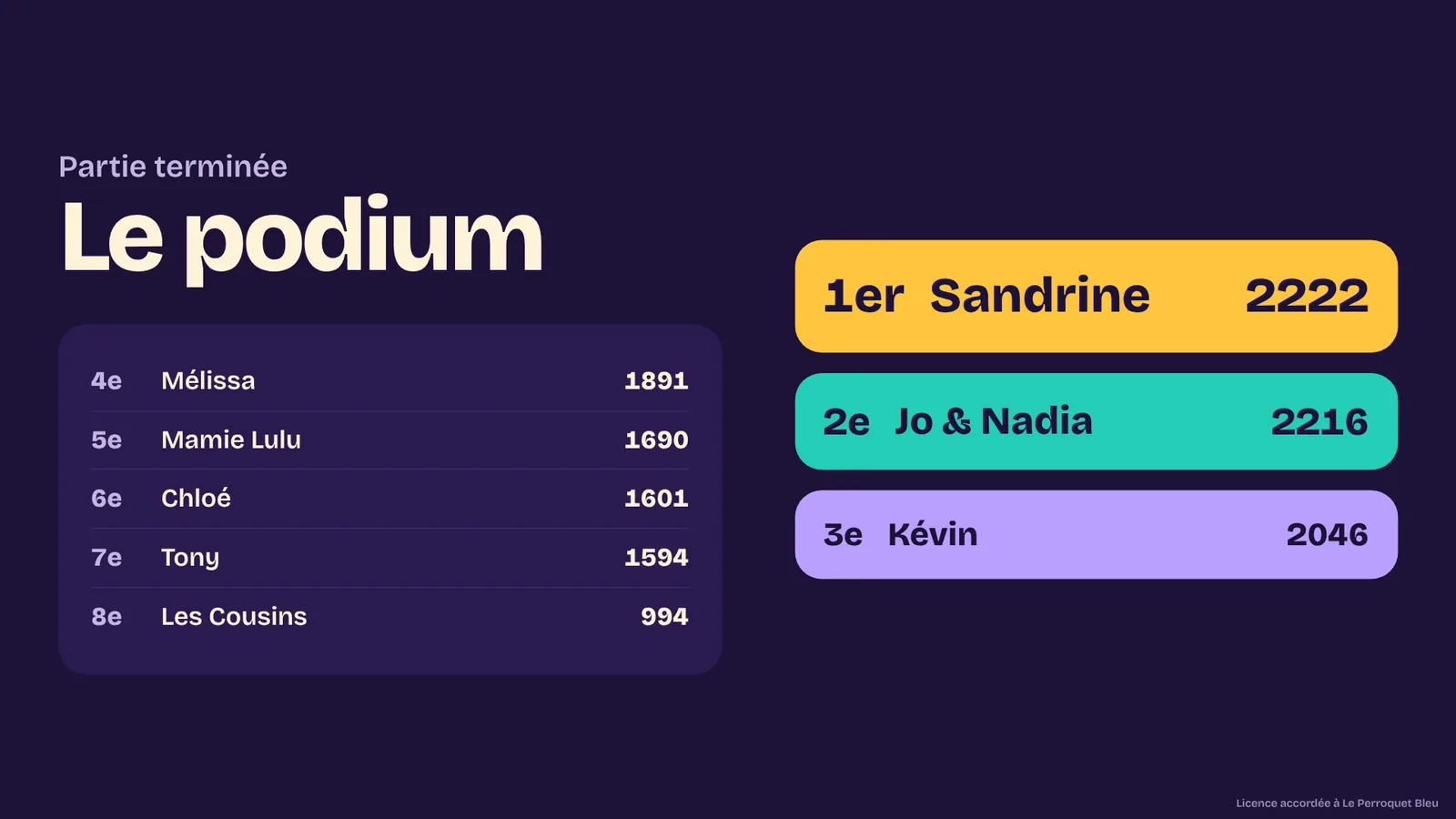
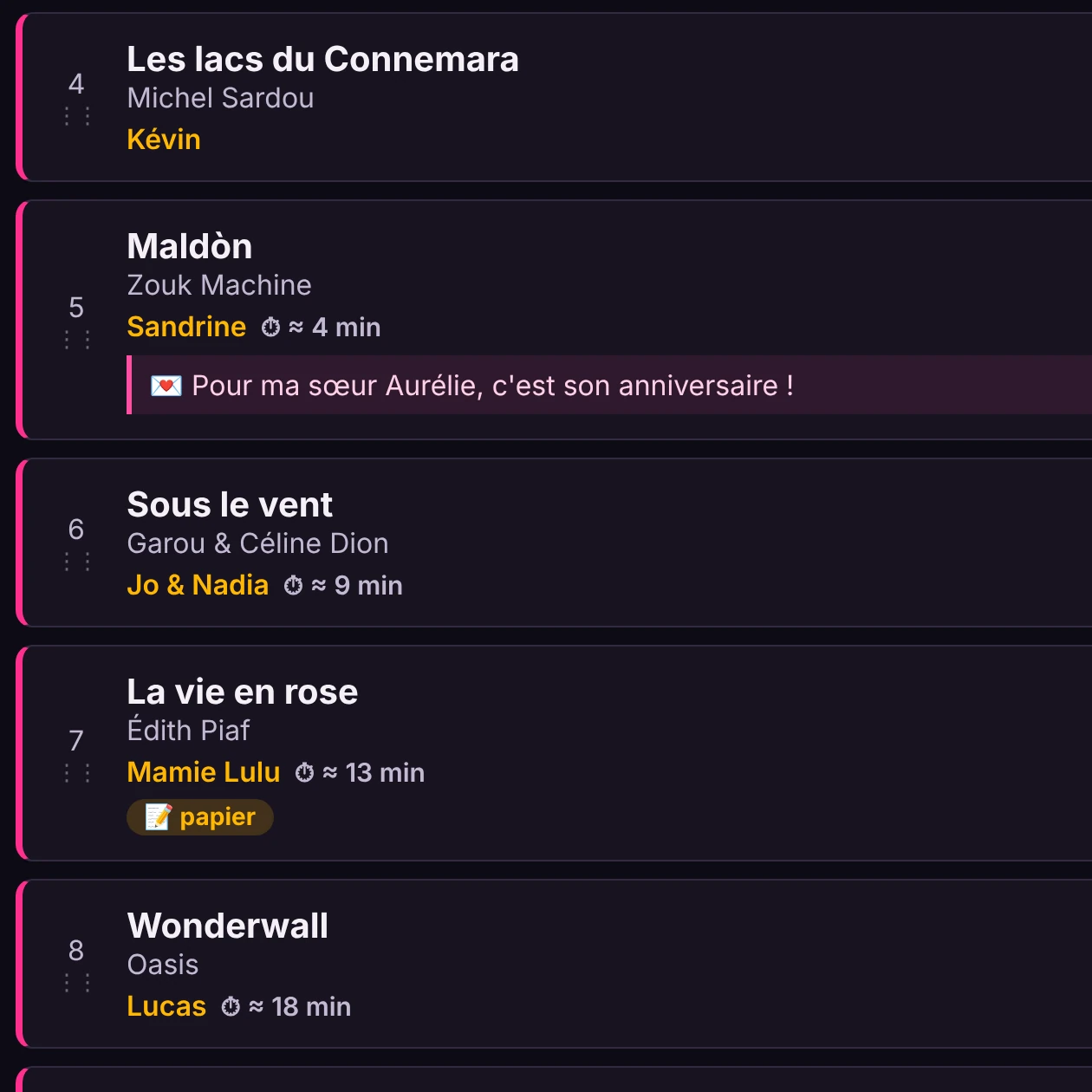
The public screen at the end of the game: the podium, with Kévin first, Sandrine second and Jo & Nadia third.
At the end of the game: the podium.
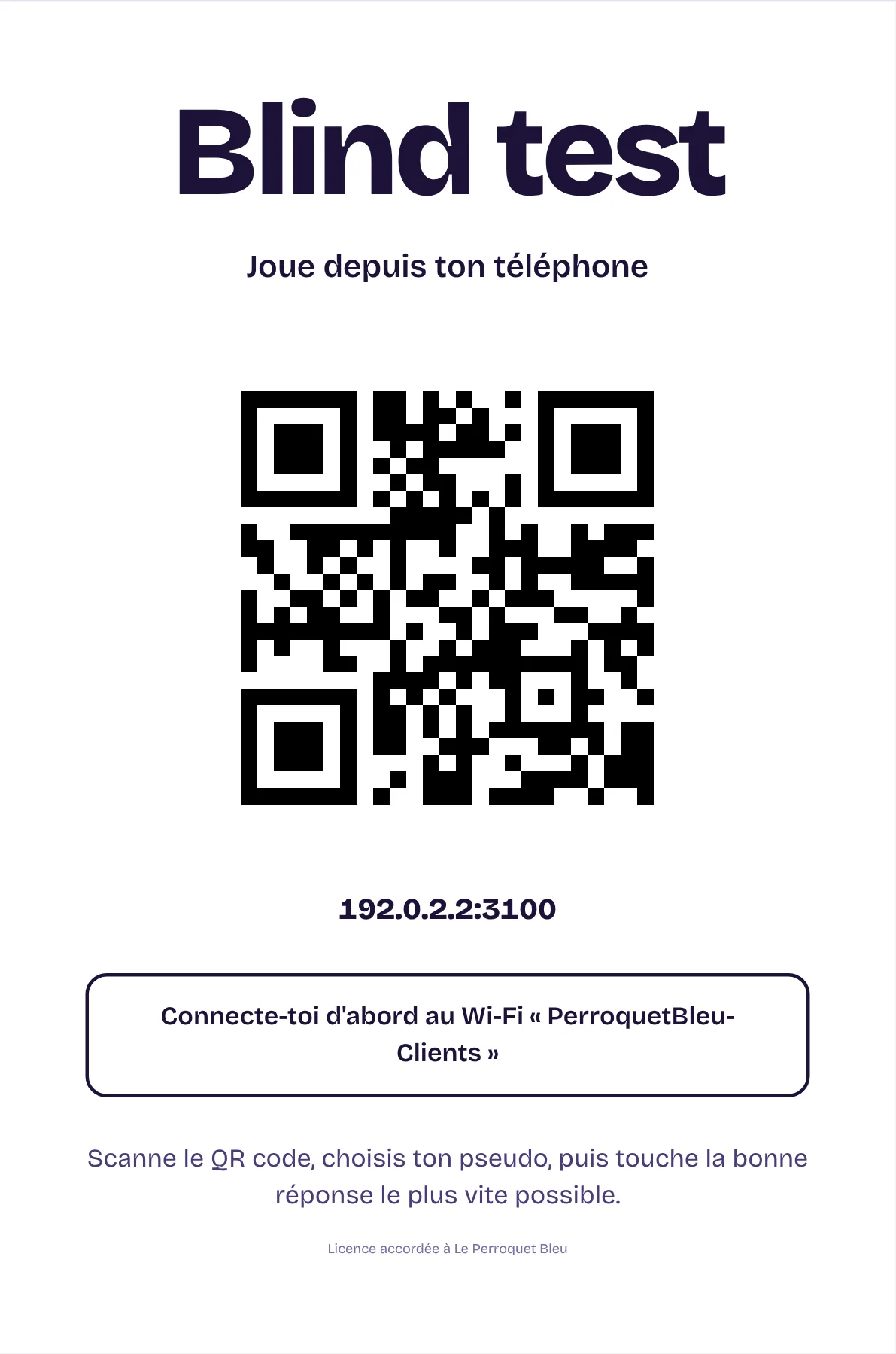
The poster to print: “Blind test, play from your phone” (in French), a large QR code and the Wi-Fi name.

A poster for the tables

An A4 sheet to print, with the QR code and, if you like, the name of the venue's Wi-Fi. Players join the game without having to ask you anything.

Good to know

What the app does, and what it doesn't.

  • It contains no music. KaraDan' Blind Test plays your files: mp3, wav, m4a, flac, ogg, and the sound of mp4 files. It does not play protected files or online music services.
  • The sound comes from your computer, plugged into the sound system as usual. The phones only show the choices: no sound is played on them.
  • A computer running Windows 10 or 11 (64-bit), or a Mac (macOS 11 or later). Players' phones can be any brand.
  • The venue's Wi-Fi is enough. The computer and the phones must be on the same network. No internet is needed during the night.
  • Everything stays on your computer. Players only give a nickname: no name, no phone number, no account. Nothing about your nights goes out onto the internet.
  • In French. The host and player screens, and the getting-started guide, are in French for now.

The screenshots on this page show the app with a fictional venue and fictional players.

Two plans

14-day complete trial, no credit card. After that, a subscription with no commitment: stop whenever you like. The blind test on its own, or with KaraDan' Karaoké in the Complete plan, with a single key.

Founder's rate. The first 20 subscribers keep today's price for as long as their subscription runs, even if prices go up later. All 20 spots are still open.

Blind test plan

€5.75per month

that is €69 paid once a year, instead of €82.80

or €6.90 per month, billed monthly

or €138 paid once for 3 years

TVA non applicable, art. 293 B du CGI

  • KaraDan' Blind Test, in full, with games of unlimited questions
  • A key in your name, on 2 computers
  • Plus: Carton Plein and Bonneteau, two party games, with the same key
  • Updates included for as long as you subscribe
  • Your key shown as soon as you pay, and also sent by email

Try it first, for free (Windows) — already using the trial? The key is pasted in via the Licence button on the host screen. Nothing to reinstall: your playlists stay in place.

Do you host karaoke too? For €8 more per month, the Complete plan adds KaraDan' Karaoké, and the file search software comes free.

Complete plan

€12.42per month

that is €149 paid once a year, instead of €178.80

or €14.90 per month, billed monthly

or €298 paid once for 3 years

File search software
included free

TVA non applicable, art. 293 B du CGI

  • KaraDan' Blind Test, in full, with games of unlimited questions
  • KaraDan' Karaoké, with all its features (Pro plan)
  • A single key in your name, on 2 computers for each app
  • Free gift: our file search software (sold for €19). It stays yours, even if you stop the subscription
  • Plus: Carton Plein and Bonneteau, two party games, with the same key
  • Updates included for as long as you subscribe
  • Your key shown as soon as you pay, and also sent by email

Referral: 1 month free for you and for a colleague who subscribes with your personal code (you get it with your key).

Two more games for your nights

With the Blind test or Complete plan, the same key also opens Carton Plein and Bonneteau. Players play on their phones, the TV shows the game, and you stay in control from your computer.

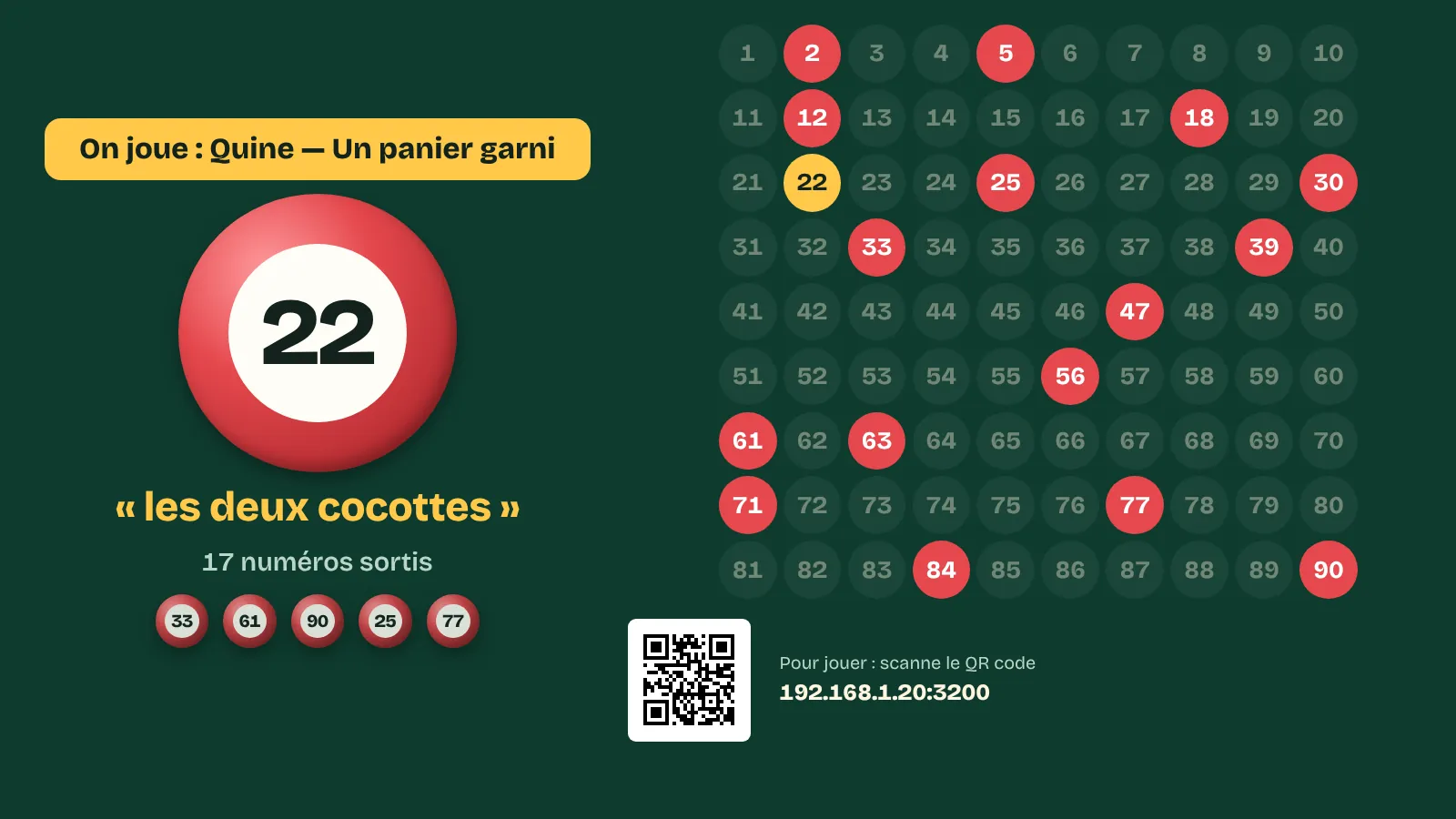
The Carton Plein public screen: the last number drawn, its nickname and the board of 90 numbers.

Carton Plein

Party bingo (French-style lotto) with no cards to hand out: every player has their cards on their phone, and numbers are ticked automatically.

  • One line, two lines and full card, with a prize for each stage
  • Every “Bingo!” checked instantly, numbers called out loud
  • Special games, printable paper cards and a night report

More about Carton Plein →

Try it free (Windows)Try it free (Mac)

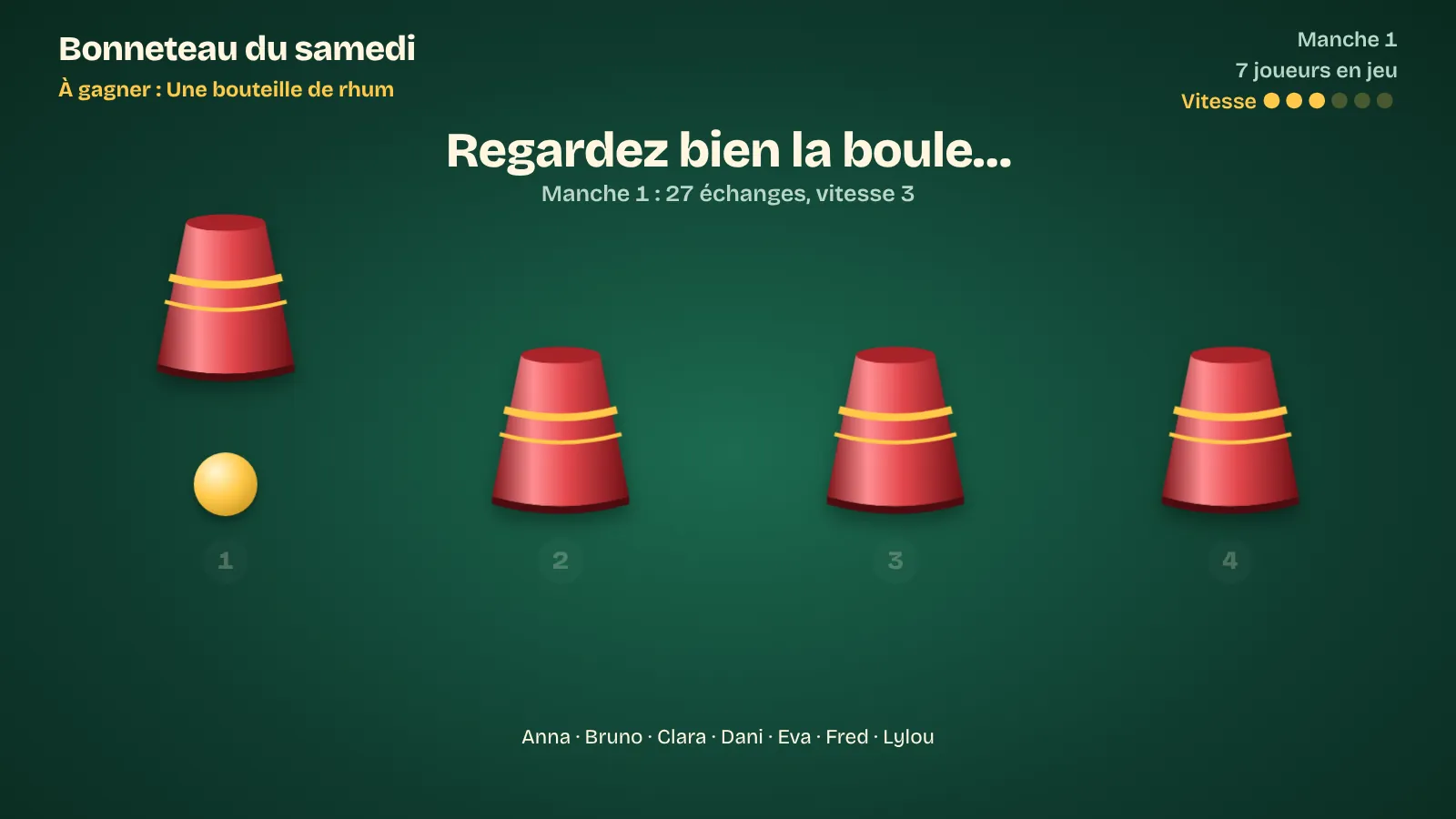
The Bonneteau public screen: the ball shown under one of the cups, just before the shuffle.

Bonneteau

A ball under a cup, the cups shuffle on the TV, and everyone taps the right cup on their phone. The last player standing wins.

  • 3 to 6 cups, and the shuffle speed set live
  • Eliminations, cup-by-cup reveal, a party for the winner
  • The ball's position never leaves your computer: nobody can cheat

More about Bonneteau →

Try it free (Windows)Try it free (Mac)

Included in the Blind test and Complete plans at no extra cost. Each game can be tried free for 14 days.

Do you host karaoke too?

KaraDan' Karaoké runs the queue at your nights: your singers pick their song from their phone, and you have no more slips of paper to sort.

  • Fair rotation gives every singer one turn per round.
  • It works alongside your karaoke software, whatever it is, with your own songbook.
  • Just like the blind test: no internet during the night, nothing to install on the phones.

With the Complete plan, the same key opens both apps. Only host karaoke? KaraDan' Karaoké is also available on its own, from €5.75 per month. Free 14-day trial.

The karaoke queue on the host screen: the requested songs, the singers and each one's waiting time.
A singer's phone, searching for her song in the songbook.

Frequently asked questions

Can I try it before subscribing?

Yes. The trial is complete for 14 days, with no account and no credit card. After that, the app stays usable, with games limited to 5 questions, while you make up your mind. When you subscribe, the key is pasted in via the Licence button: nothing to reinstall, your playlists stay in place.

Can I subscribe to the blind test on its own?

Yes: that's the Blind test plan, €6.90 per month or €69 per year. If you host karaoke too, the Complete plan adds KaraDan' Karaoké and gives you the file search software for free. You can switch from one to the other at any time, keeping the same key.

Monthly or yearly billing: what is the difference?

The features are the same. Monthly, you have no commitment. Yearly, you pay once: you pay for 10 months instead of 12.

How do I stop my subscription?

Use the “Cancel my subscription” link at the bottom of this page, or simply e-mail karadan971@gmail.com. The subscription stops at the end of the period already paid for, at no cost.

What happens if I stop?

The app goes back to limited mode: games of 5 questions. Your playlists, your settings and the saved leaderboards stay on your computer. The day you come back, everything starts again with the same key, with nothing to reinstall. The file search software stays yours.

How do I receive my key?

Right away: as soon as your payment goes through, the confirmation page shows your key with the download links, and it is also sent to you by email. It is issued in the name you enter at checkout (yours or your venue's), and that name appears in small print on the screens (“Licensed to…”). You keep it for as long as you subscribe: it doesn't change at each renewal, and it's the same one for KaraDan' Karaoké if you choose the Complete plan.

Do I need internet at the venue?

No. During the night, everything goes through the venue's Wi-Fi, between the phones and your computer. Internet is used to activate your key, then to check your subscription renewal: the app does this by itself as soon as the computer is online, at home for example. After each renewal date, it gives you 7 days to do so; a hotspot from your phone is enough.

Do players have to install an app?

No. They scan the QR code and the page opens in their phone's browser. No account, no download: just a nickname.

Where does the music come from?

From your files. The app provides none: you copy your tracks into a folder on your computer, named “Artist - Title”, and it links them to the lines of your playlists. Accents, capital letters and small spelling differences don't bother it.

How many tracks does a playlist need?

As many as you like. With at least 8 to 10 tracks, the wrong choices vary nicely from one question to the next. A sample playlist is included for a first try.

What if I change computers?

Your key works on 2 computers. To move to a new computer, you release the old one from the Licence button, even if it has broken down, then activate the key on the new one. You can do this a few times a year; beyond that, write to us.

What if the app stops in the middle of a game?

If its engine stops by accident, it restarts by itself within a few seconds and the screens reconnect. The game and the points are kept.

Windows shows a warning the first time I open it. Is that normal?

Yes. The app is not digitally signed yet, and Windows says so with the message “Windows protected your PC”. Click “More info”, then “Run anyway”. Windows also asks you to allow the app on your private network: this is what lets phones reach your computer. The included guide (in French) covers both steps.

Does it work on a Mac?

Yes. A Mac version (macOS 11 or later, Apple silicon or Intel) is available next to the Windows one. The first time you open it, macOS asks for an authorisation in System Settings; the steps are in the folder (in French for now). The same key works on Windows and on Mac. Players' phones can be iPhones or Android phones.

Am I allowed to play the music?

Playing music to an audience requires the usual licences in your country. They are the organiser's responsibility, as for any music event: the app changes nothing there.

Is the file search software a subscription?

No. You buy it once, for €19, and it has no end date. It comes free with the Complete plan, and you keep it even if you stop the subscription later.

What if the app isn't right for me?

Try it first: the trial is complete for 14 days. After that, the subscription has no commitment, and the withdrawal and refund conditions are described in the terms of sale (in French).
Try it at your next quiz night

14 days with every feature. If your players ask for more, you subscribe; if not, you delete the folder and its shortcut, and that's it.